CreatorHQ pulls every YouTube comment into one prioritized inbox, flags the risks and questions that actually need you, and drafts replies in your own voice — you review, tap, done. Bluesky and Mastodon are included today, and Instagram, Facebook, and 15 more platforms switch on as each clears its API review.
Available today on Mac and Windows desktop, and on iPhone and iPad from the App Store · Android (Google Play) is on the way.
Secure OAuth connections only — CreatorHQ never sees or stores your platform passwords.
CreatorHQ is built to be your HQ for everywhere you post — all 20 platforms below are already built into the app. Each one needs that platform's own API approval before we can open it to you — and they're clearing: YouTube is open now (Google-verified, full comment inbox with AI-assisted replies), alongside Bluesky and Mastodon. Facebook, Instagram, and TikTok are in review next, and we switch each one on the moment it clears.
Tap Connect YouTube and sign in with the Google account behind your channel. Google's own consent screen shows exactly what CreatorHQ is asking for, and you approve it there — on Google's servers, not ours.
Once connected, your channel stats, video performance, and every new comment flow straight into your Home feed, Inbox, and Analytics.
Works with any YouTube channel tied to your Google account.
CreatorHQ is built for 20 platforms in all, and every one of them is already built into the app. YouTube, Bluesky, and Mastodon are open now with the full two-way inbox — YouTube cleared Google's verification, with AI-assisted replies. LinkedIn, Twitch, Discord, Telegram, Tumblr, Patreon, and Etsy can be connected today, with syncing switching on as we finish each integration. Facebook, Instagram, and TikTok are deepest into platform review, and the rest follow behind them. We turn each one on the moment it clears.
All 20 platforms are already built into CreatorHQ, and each needs its own API approval from that platform before we can open it to you. YouTube, Bluesky, and Mastodon have cleared with the full two-way inbox; LinkedIn, Twitch, Discord, Telegram, Tumblr, Patreon, and Etsy accept account connections today with syncing rolling out; timelines for the rest depend on each platform's review process rather than on us.
No CSV imports, no browser extensions, no handing over passwords. Here's exactly what setting up CreatorHQ looks like.
Download CreatorHQ for Mac or Windows, or get it on the App Store for iPhone and iPad — an Android app is on the way. Create your CreatorHQ account with your name and email — this is the only password you'll ever set with us, and it's stored as a secure one-way hash.
From the Settings tab, tap Connect YouTube. You're taken to Google's official sign-in and consent screen, where you approve read access to your channel and comments. Approve it, and you're back in CreatorHQ — connected.
Bluesky and Mastodon are open today too — connect either from the same Platforms screen and your mentions, replies, and messages join the same inbox. Facebook and Instagram connect here the moment Meta's review clears: one Meta approval will cover both.
The first sync pulls in your comments, mentions, follower counts, and post performance from every connected platform. Home builds your Today's Mission, the Inbox counts what actually needs a reply, and Analytics scores your Creator Health — automatically, from then on.
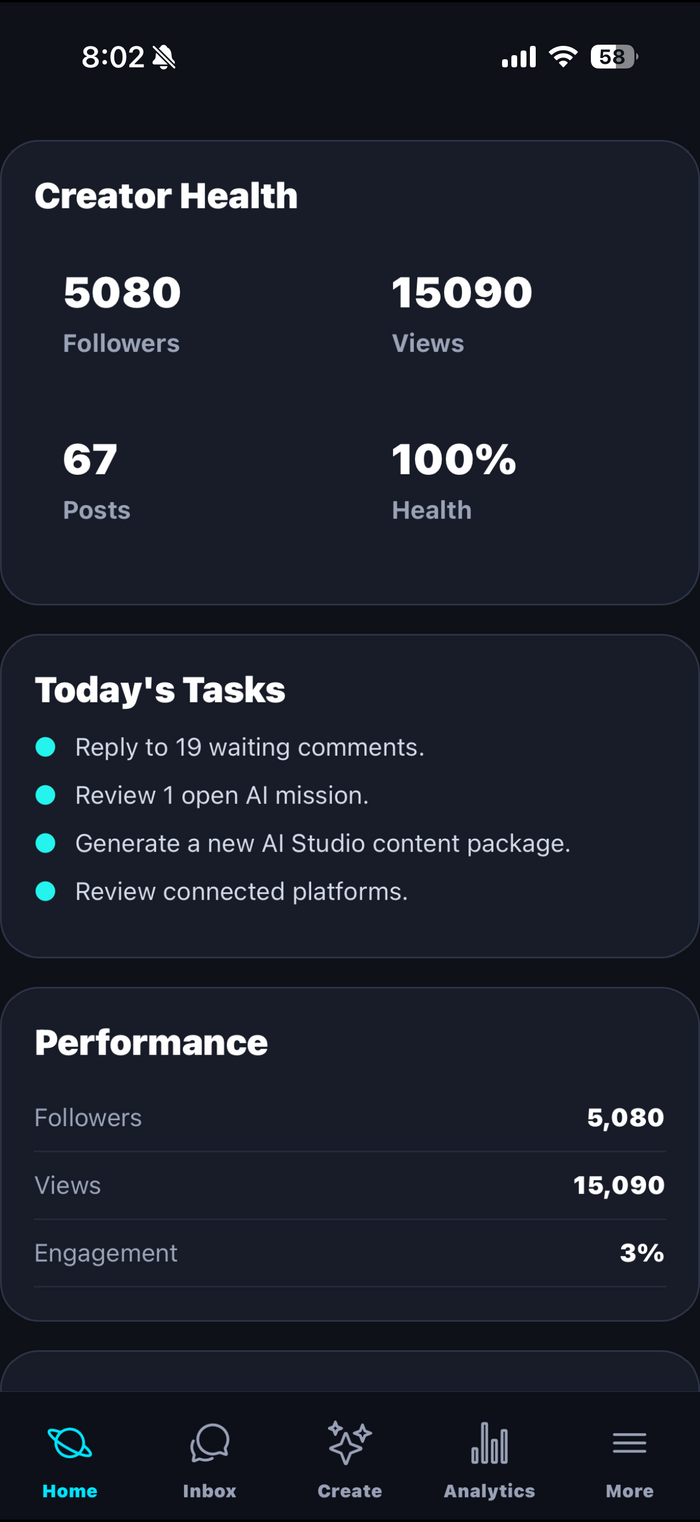
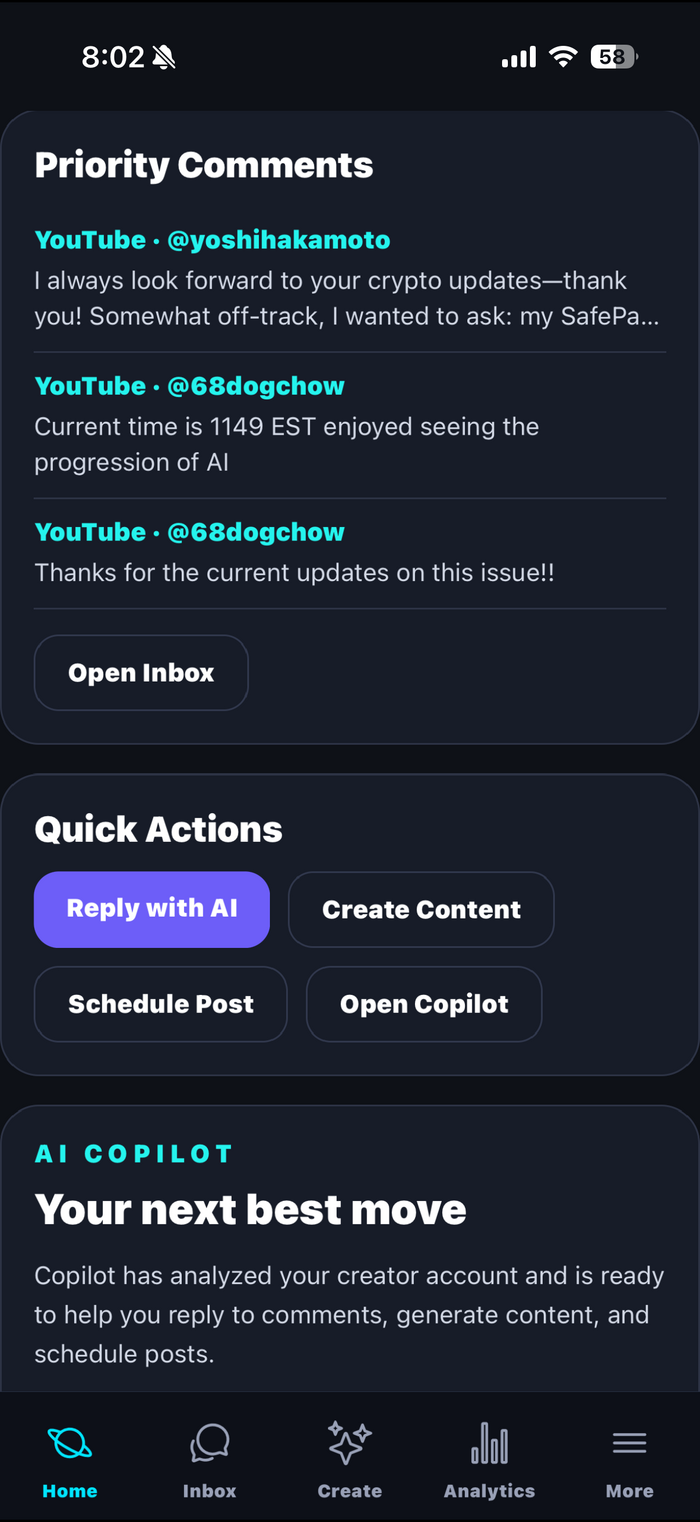
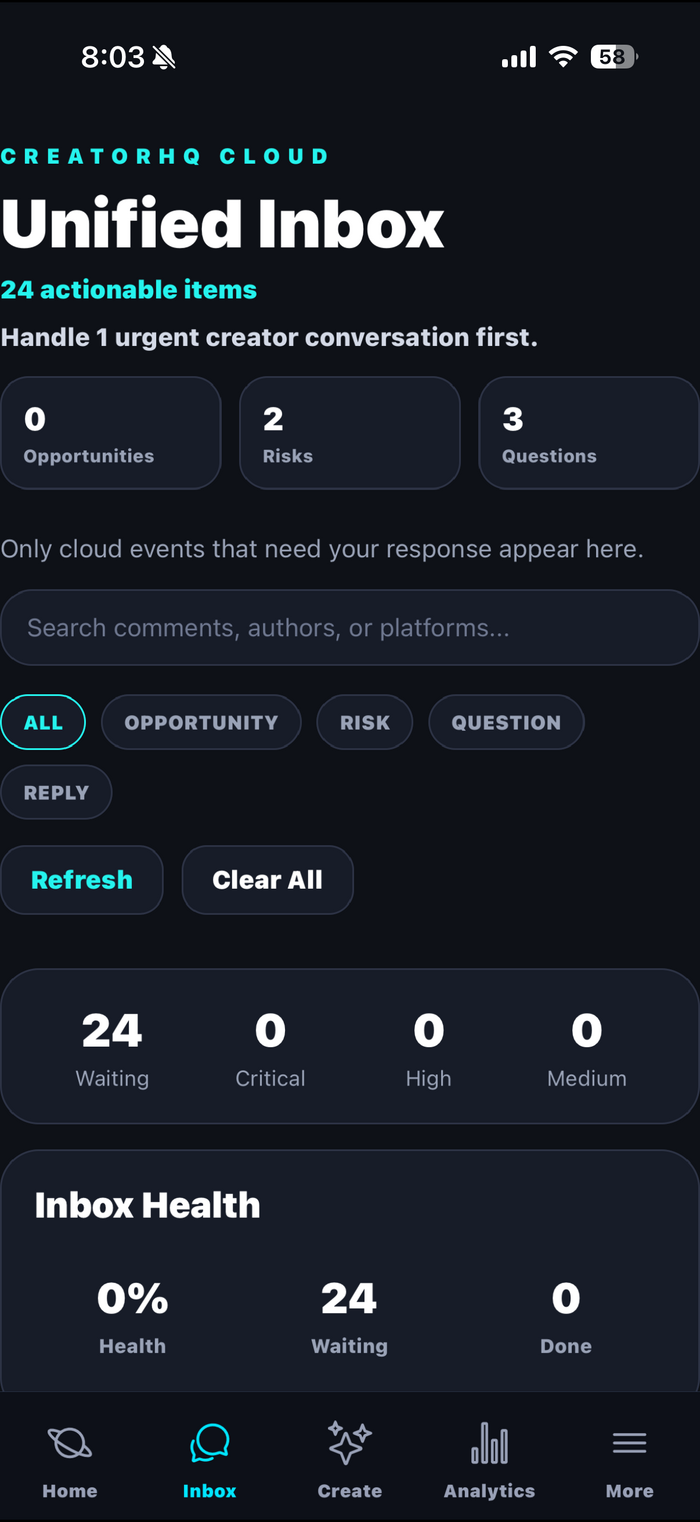
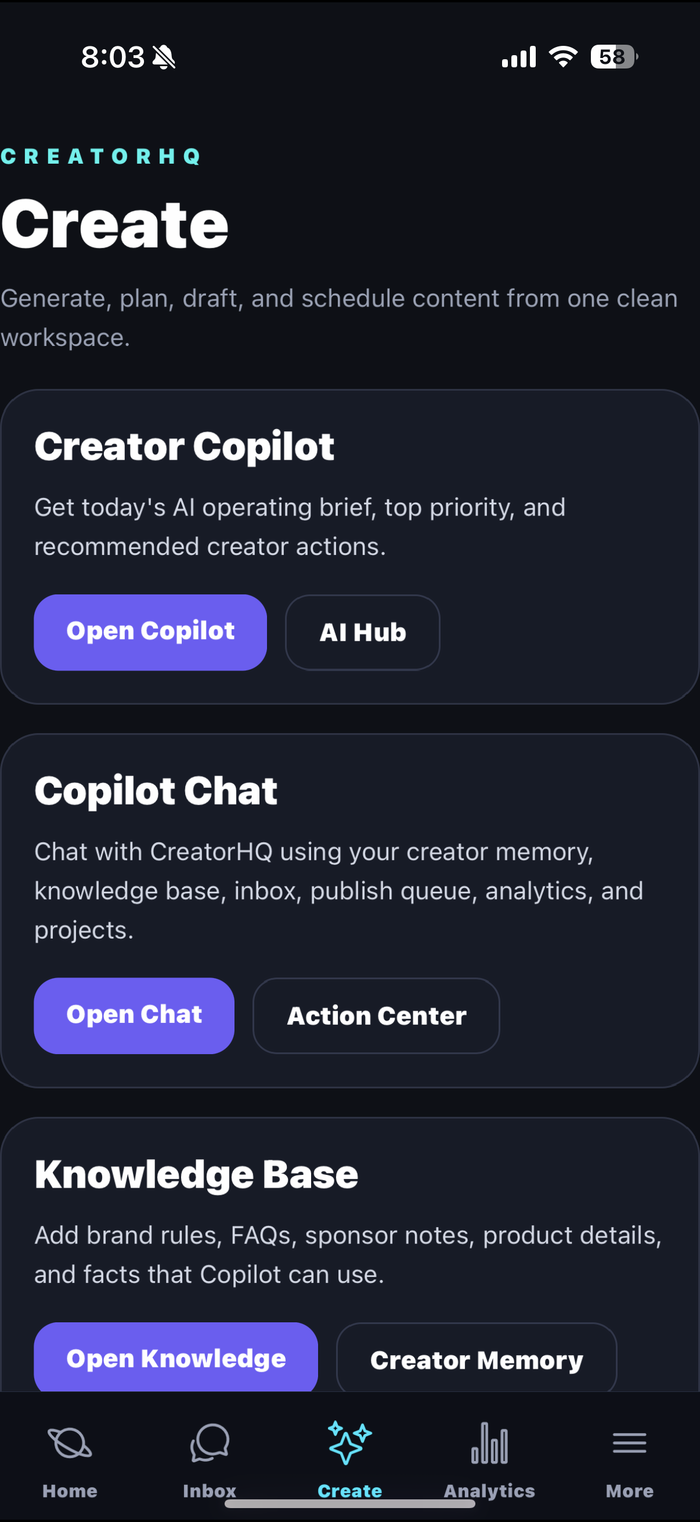
These aren't concept mockups — every screenshot below is CreatorHQ itself, running on real connected accounts. Here's what each tab actually does.
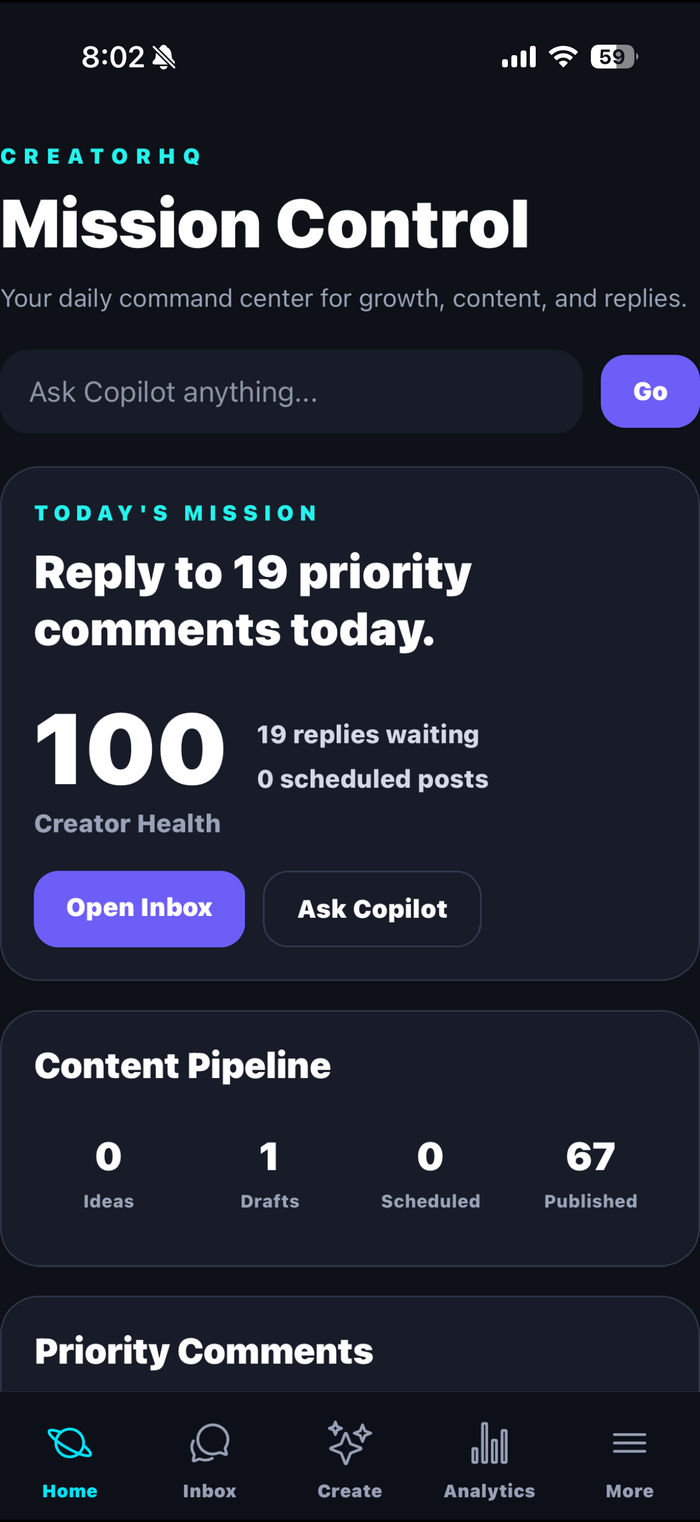
Home turns everything happening across your platforms into one daily plan, so you never start the day wondering where to look first.
Everything your audience sends you — on every platform you've connected — lands in a single feed, so nothing slips through while you're off creating.
Create is where CreatorHQ's AI lives — not a generic chatbot, but a copilot wired into your own accounts, audience, and brand knowledge.
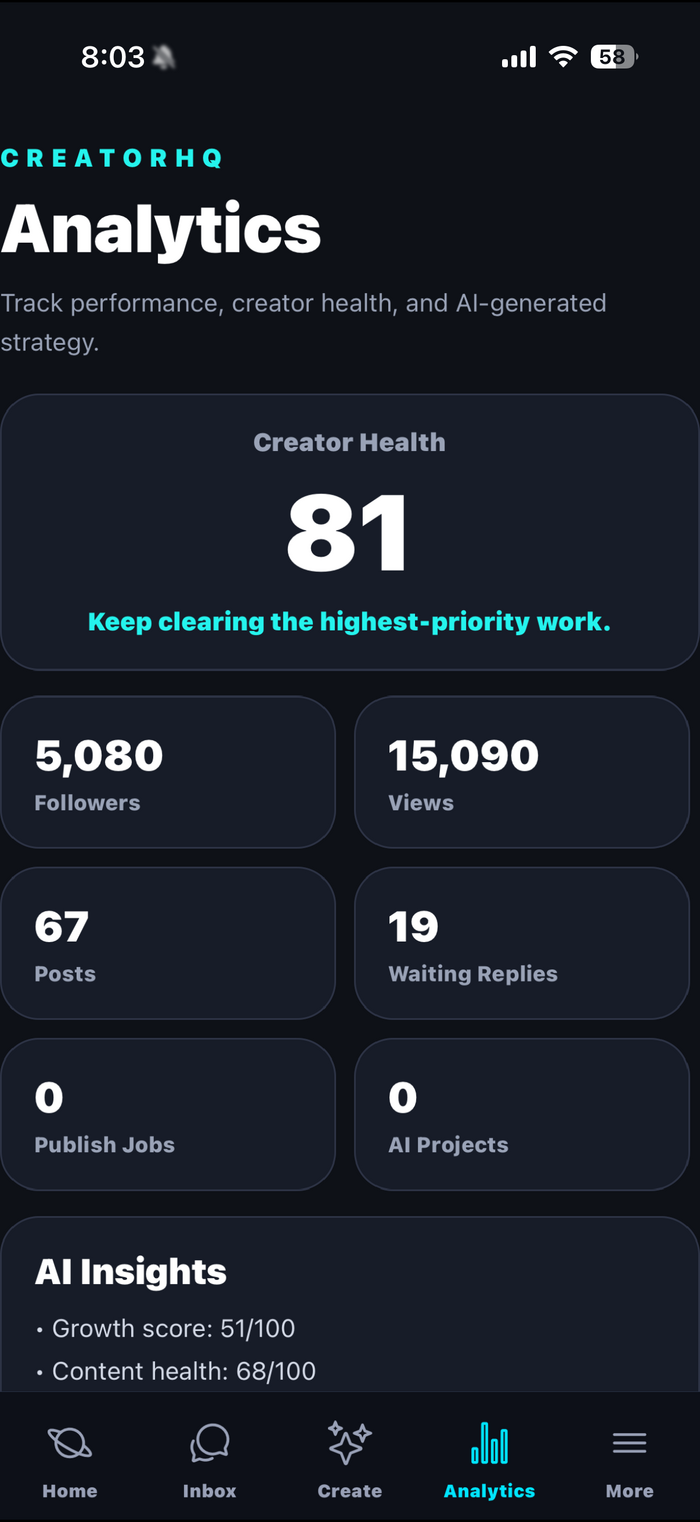
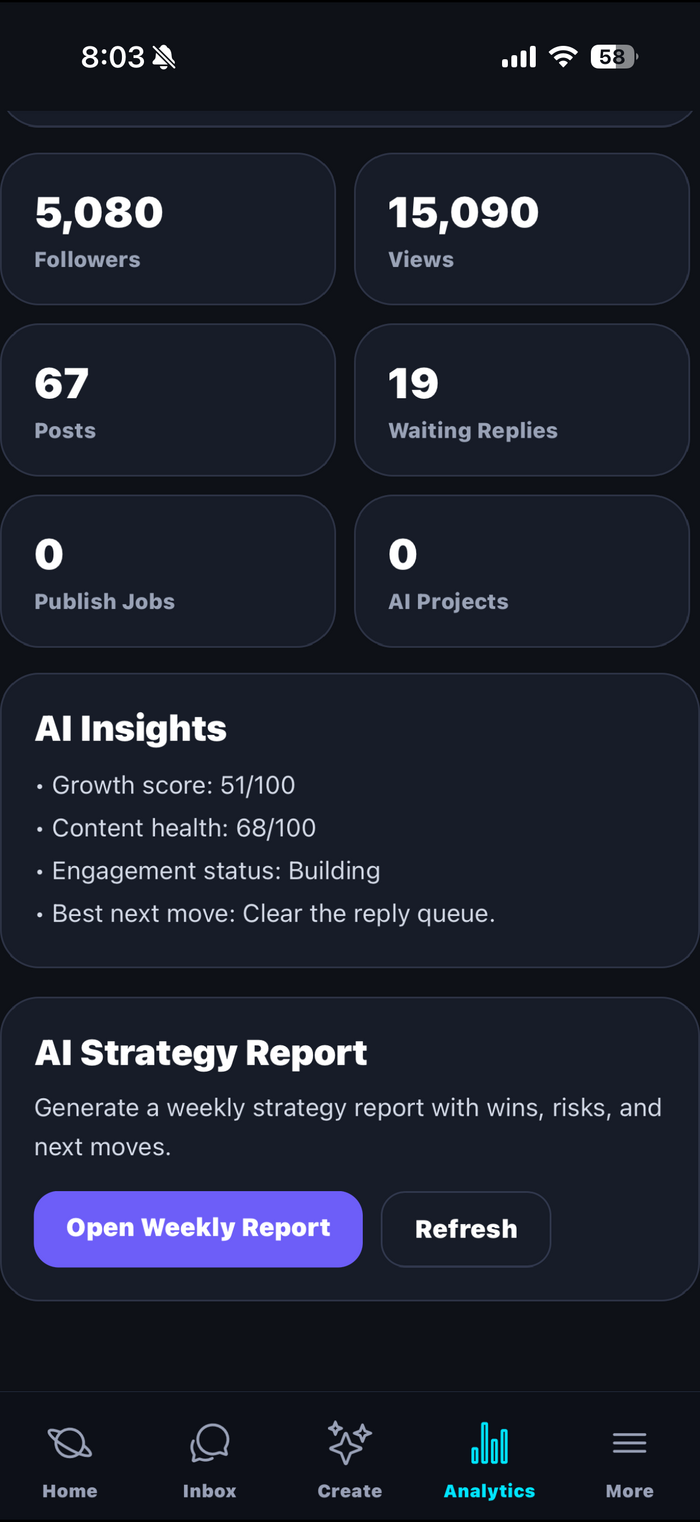
Analytics aggregates your numbers across every connected platform, then goes a step further: it explains them in plain language and recommends your next move.
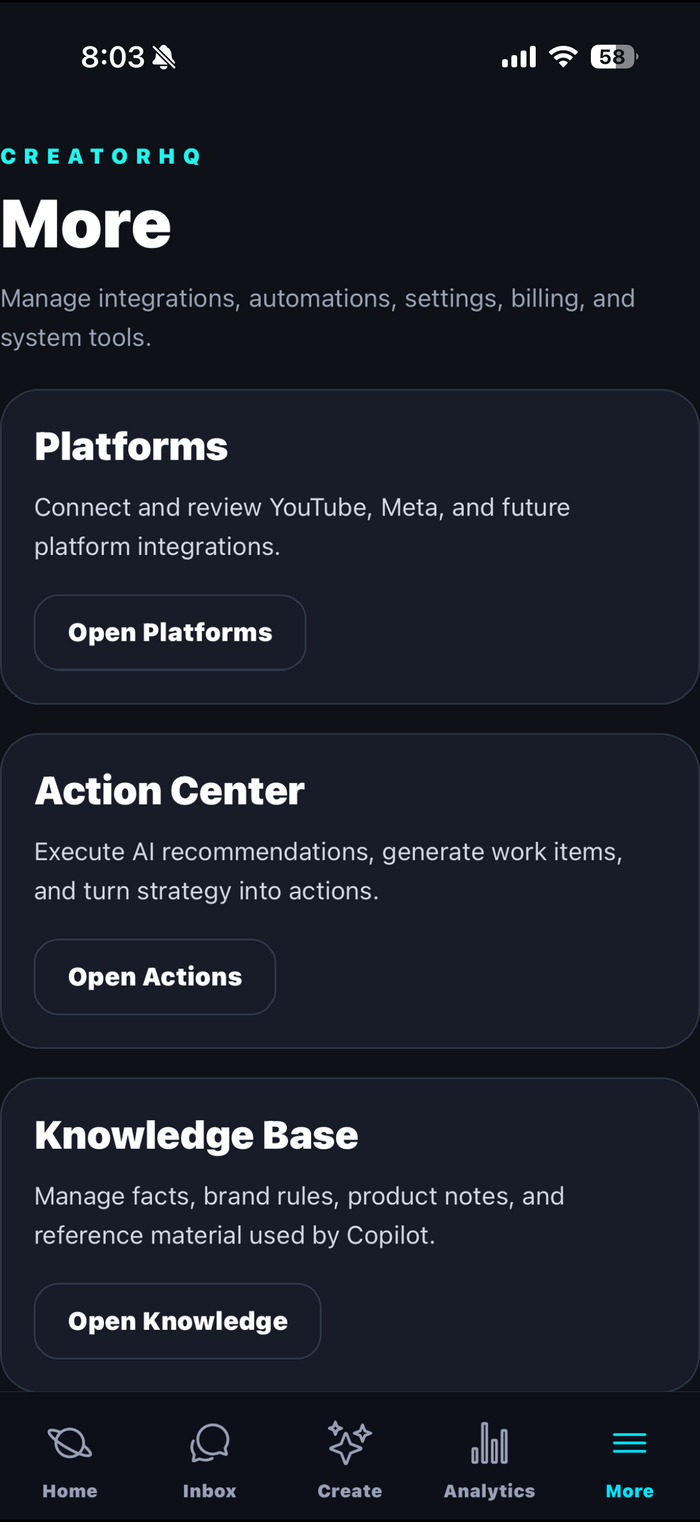
The Settings tab is the control room behind the control room — where you manage what's connected and how CreatorHQ runs.
A closer look at every corner of CreatorHQ. Scroll through the real screens.


Swipe or scroll sideways to see all eight screens →
Three tiers, from first-channel creators to full agencies. Upgrade or downgrade whenever your creator business changes.
Subscribe to any plan — Starter, Pro, or Elite — while founder spots last, and you lock in Founding Creator status: full Elite-tier feature access at the price of the plan you chose, grandfathered into every future platform and feature we ship, for as long as you stay subscribed. There's no deadline and no code — it's simply first come, first served for the first 500 subscribers, ever.
Limited to the first 500 subscribersHow billing works: every plan has two parts — a one-time setup unlock you pay once to unlock the tier, plus a monthly subscription that keeps your syncing, inbox, and AI running. Subscribe right here on the web (secure checkout via Stripe), or through the App Store in the iOS app, with Google Play to follow once the Android app launches — your plan works everywhere either way, and you can cancel anytime.
New creators who want one clean command center.
then $9.99/mo subscription
Up to 3 connected accountsFull-time creators managing several platforms.
then $24.99/mo subscription
Up to 15 connected accountsPower creators, agencies, managers, and creator teams.
then $59.99/mo subscription
Unlimited connected accountsSubscribing on the web creates your CreatorHQ account and starts your monthly plan via secure Stripe checkout — sign in with the same email in CreatorHQ on Mac, Windows, or the iOS app to start syncing, and in the Android app once it launches. The one-time unlock shown above applies to in-app (App Store / Google Play) purchases only. Subscriptions auto-renew until canceled and can be managed from Settings inside CreatorHQ, or from your Stripe receipt email for web subscriptions. Full details in our Terms of Service.
Twenty platforms are built into CreatorHQ: YouTube, Facebook, Instagram, TikTok, X (Twitter), LinkedIn, Pinterest, Snapchat, Threads, Twitch, Discord, Bluesky, Mastodon, Telegram, Tumblr, Vimeo, Patreon, Etsy, WhatsApp Business, and Shopify. Each one requires that platform's own API approval before we can open it to creators, and that approval sits with them, not us. Full two-way inbox today: YouTube (Google-verified, comments with AI-assisted replies), Bluesky, and Mastodon. LinkedIn, Twitch, Discord, Telegram, Tumblr, Patreon, and Etsy accept account connections today, with syncing switching on as we finish each integration. Facebook, Instagram, and TikTok are furthest along in review; the rest follow. Everything else in CreatorHQ — the dashboard, AI Copilot, content pipeline, and scheduling — works today. See the full platform list.
No — never. Every connection uses the platform's official OAuth sign-in (Google/YouTube sign-in, and Facebook Login for Business for Meta). You enter your password on the platform's own screen, and CreatorHQ only receives a limited access token scoped to the permissions you approved. We couldn't store your password even if we wanted to, because we never receive it.
Both run on Meta's platform, so CreatorHQ uses Meta's official Facebook Login for Business flow. One authorization grants access to your Facebook Page and to the Instagram Business or Creator account linked to that Page — which means one tap sets up two platforms. You'll need your Instagram account linked to your Facebook Page (a standard Meta setting) for Instagram data to come in.
Yes, instantly. Go to the Settings tab, open Platforms, choose the account, and tap Disconnect. That revokes CreatorHQ's access token for the platform immediately. You can also revoke access from your Google or Meta security settings at any time.
No. The AI Copilot drafts replies and content suggestions, but everything it produces is shown to you for review first. Nothing is sent, posted, or published without your explicit action.
Each tier has a one-time setup unlock (paid once, it permanently unlocks that tier for your account) and a monthly subscription (which covers the ongoing syncing, inbox, analytics, and AI). On the web, you subscribe via secure Stripe checkout; in the iOS app, both parts can also be purchased through the App Store, and Google Play joins that list once the Android app launches. If you cancel the subscription, you keep your account and can resubscribe later; the unlock never needs to be repurchased for the same tier.
The first 500 subscribers ever — on any paid plan, Starter, Pro, or Elite — become Founding Creators. As a founder, your account gets full Elite-tier feature access regardless of which plan you pay for, and you're grandfathered into every future platform and feature we ship, for as long as your subscription stays active. Founder status is never revoked: if you cancel, it simply pauses, and it resumes the moment you resubscribe. There's no deadline — just a hard cap of 500 spots, first come, first served. See the Founders Deal above.
No. CreatorHQ never sells your data and never uses data from your connected platforms for advertising or retargeting. Data from the YouTube and Meta APIs is used only to power the features you connected those accounts for. See the full Privacy Policy.
Email support@usecreatorhq.com with the subject "Delete my account" from your registered email address. Deletion completes within 30 days, and we confirm by email. Full instructions on the Support page.
Set up your HQ now and let CreatorHQ handle the rest — connect YouTube, Bluesky, or Mastodon today, and more platforms switch on as each clears review — Facebook and Instagram are next. Available now on Mac, Windows, iPhone, and iPad, with an Android app on the way.